

Email templates
Configure automated emails for user moderation events
Insion sends automated emails to users when their moderation status changes. You can customize these email templates for your organization.
Available templates
| Template | Purpose |
|---|---|
| Suspended | Sent when a user is suspended, includes appeal instructions. |
| Compliant | Sent when a user returns to good standing. |
| Banned | Sent when a user is permanently banned. |
Managing templates
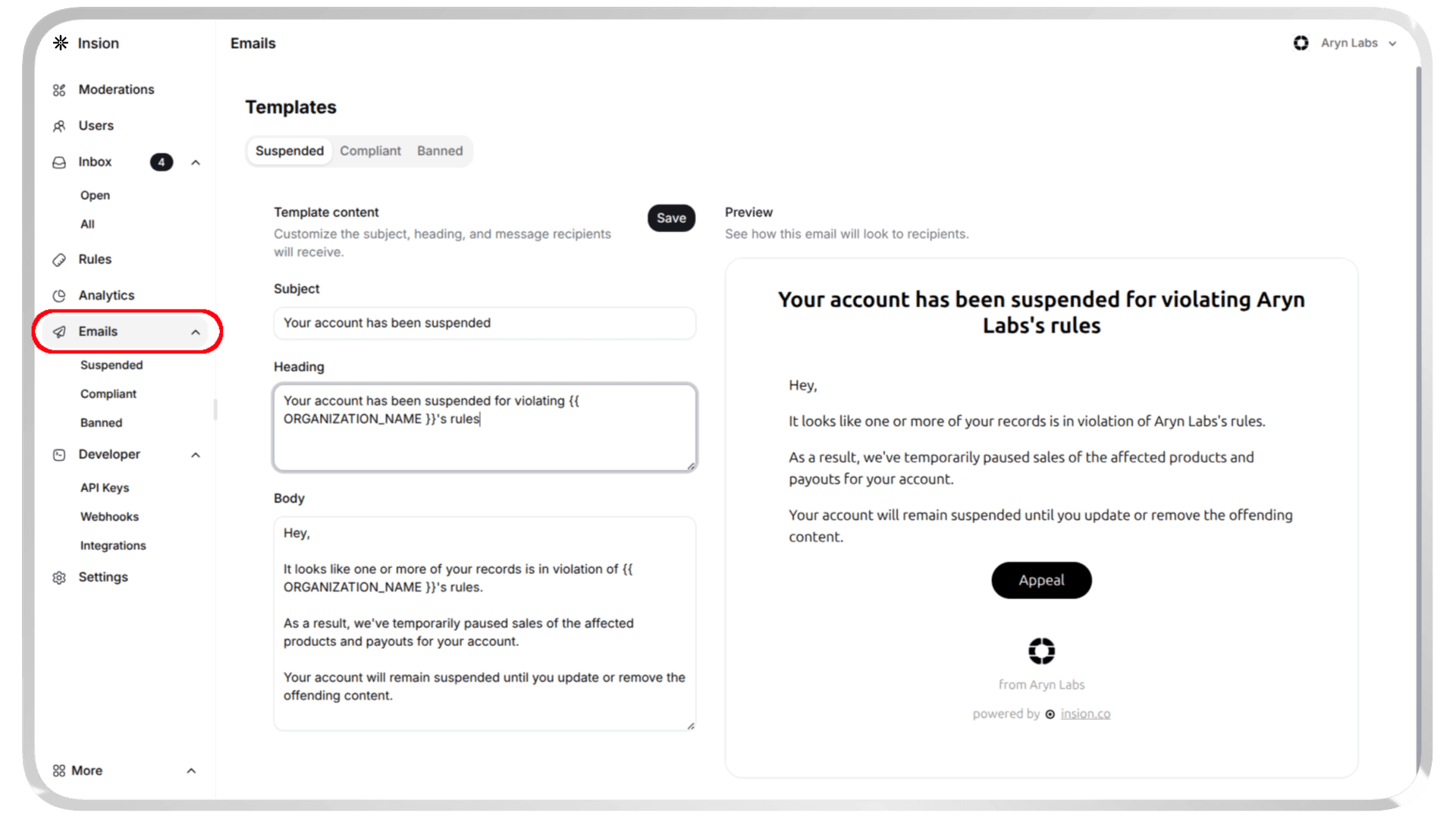
Customize your email templates in the dashboard:
- Navigate to Emails
- Select the template type you want to edit
- Customize the template fields:
- Subject: Email subject line
- Heading: Main title of the email
- Body: Email message content
- Preview how your email will look
- Save your changes
Use {{ ORGANIZATION_NAME }} in your templates to automatically insert your organization's name.
All emails are sent from Insion <no-reply@insion.co>.
Need help? Contact our support team.
How is this guide?